
Overview
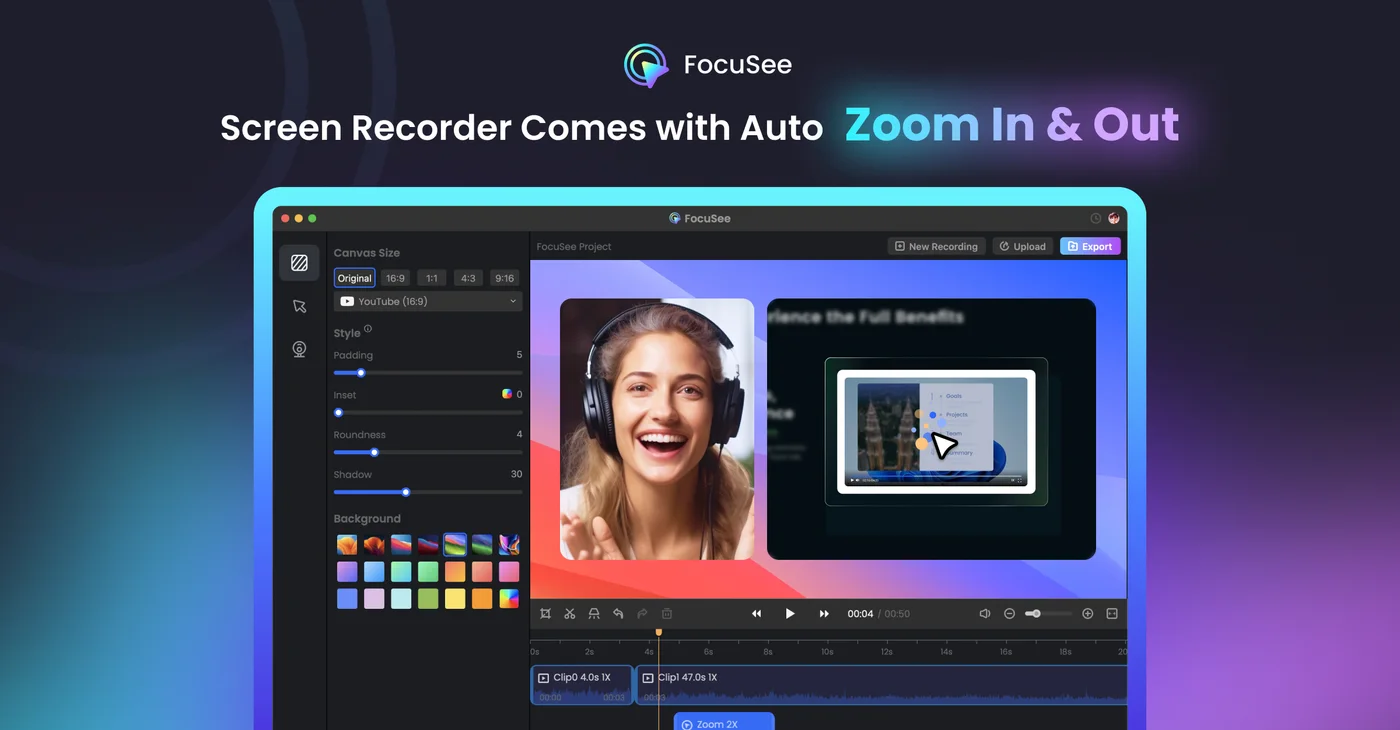
FocuSee is a Windows and Mac screen recorder for product demos, tutorials, and walkthroughs. It automatically emphasizes cursor activity and screen actions, then adds visual styling and export controls. Advanced plans include credit-based AI editing and audio enhancement tools.
Our take
FocuSee records screen demos with automatic zoom and cursor emphasis, which is a small feature that makes a large difference — manual zoom keyframing is the tedious part of demo videos and the reason most people skip it. One-time annual pricing is offered alongside monthly, which suits occasional use better.
Worth it if
Product teams and educators producing screen demos who want polish without manual editing.
Look elsewhere if
General video editing, or screen recording where raw capture is all you need.
✨ Features
Automatic Zoom
Highlights screen actions and cursor movement during recordings.
Screen & Camera Recording
Records demonstrations with flexible screen and presenter layouts.
AI Editing
Offers audio enhancement and silence or filler-word removal on advanced access.
High-Quality Export
Exports recordings in up to 4K at 60 frames per second.
⚖️ Pros & Cons
Pros
Cons
💰 Pricing
Standard
$19.99 /mo
- One computer
- Unlimited recordings
- 4K exports and 5GB cloud storage
Advanced
$24.99 /mo
- Up to three computers
- 300 AI credits monthly
- AI editing features
Advanced Lifetime
$199.99 one-time
- Up to five computers
- Lifetime FocuSee 2.x access
- 1,000 AI credits valid for one year
Categories
❓ Frequently Asked Questions
Does automatic zoom get it right?
Mostly, by following cursor activity and clicks, which is the right heuristic for software demos. It gets confused by rapid movement across the screen and by activity in a region you are not discussing. Reviewing the zoom track before export catches the few moments where it emphasised the wrong thing.
Is a single sample export enough to evaluate it?
Enough to judge output quality, not enough to judge the workflow across a real project. Record something representative — your actual application, at your actual screen resolution — rather than a quick test, because how it handles your interface is the thing that determines whether it helps.